
Save for later — moving cart items to the wishlist
Overview
Save for Later helps you keep high-intent products from disappearing when shoppers remove them from their cart. Instead of losing that item completely, customers can move it to their wishlist and come back when they're ready to buy.
This gives shoppers a low-pressure alternative to removing a product and gives you another chance to recover the sale later.
Save for Later works by offering customers the option to move a cart item to their wishlist instead of removing it permanently.
How Save for Later works
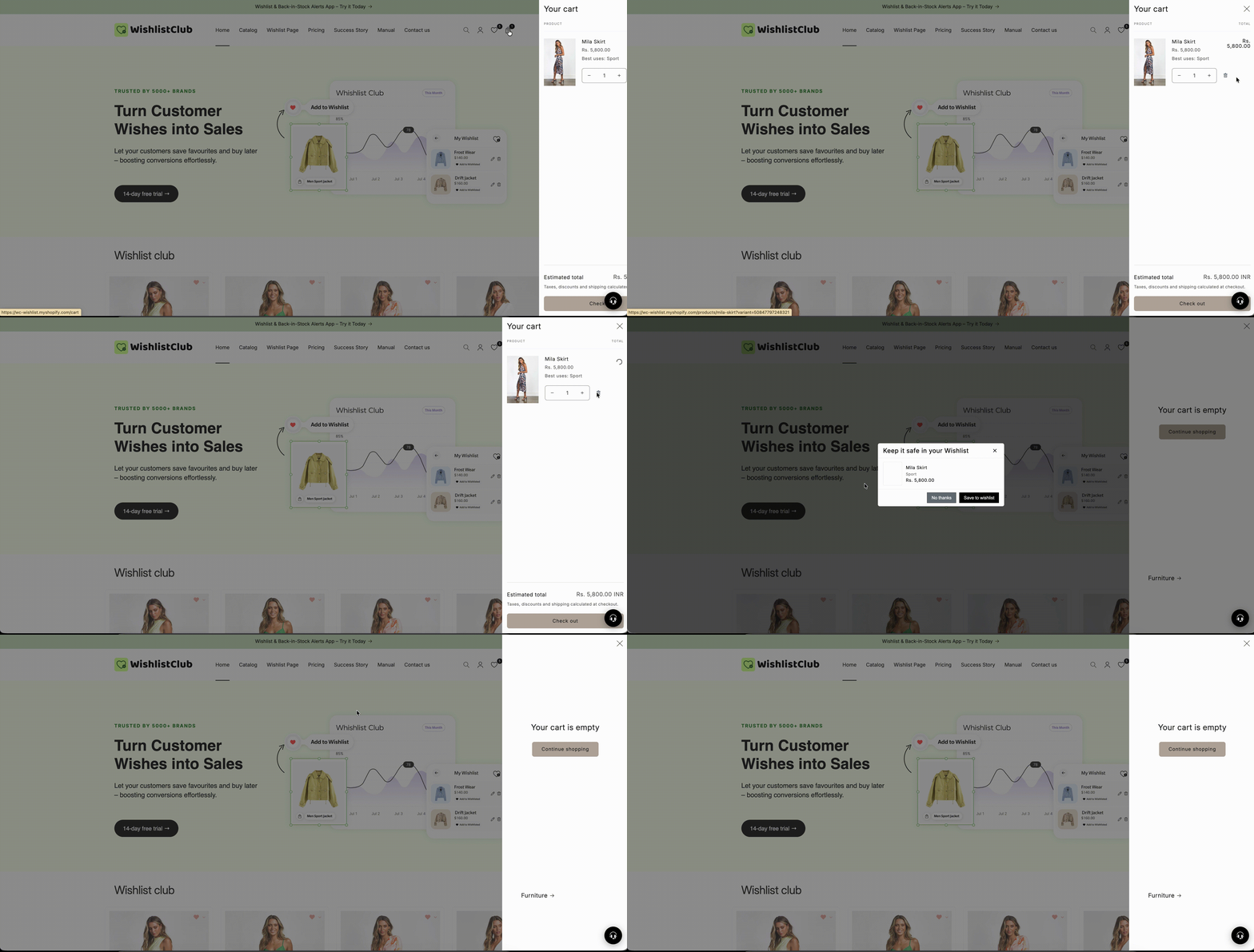
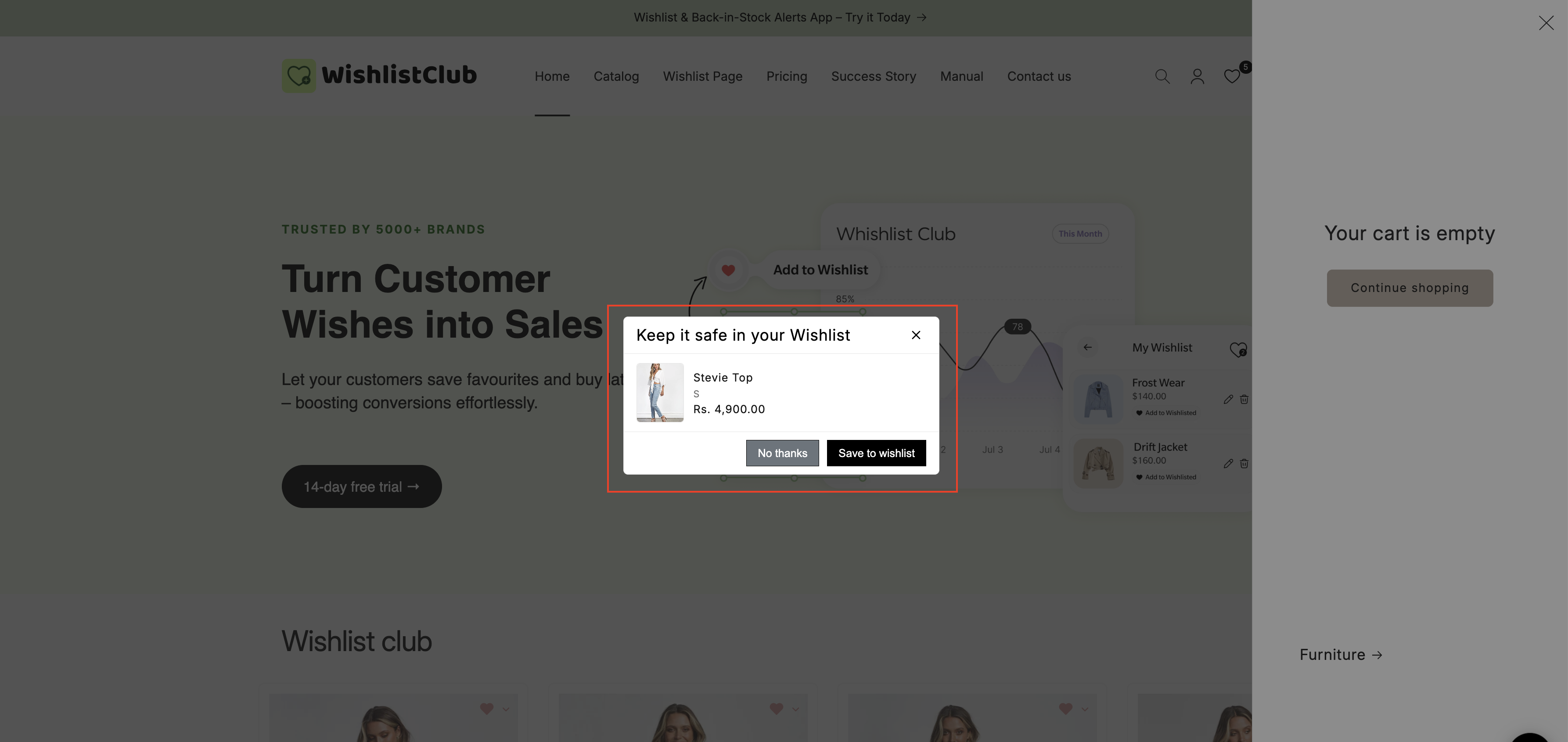
When Save for Later is enabled, customers who try to remove a product from their cart will see a prompt asking whether they want to save the item to their wishlist instead.
If they choose to save it:
The item is removed from the cart
The same item is added to the customer's wishlist
The customer can return later and add it back to their cart
This keeps the product visible and easy to revisit, rather than letting it disappear from the buying journey.
What customers see
When a shopper removes an item from the cart, they are shown a prompt similar to:
Would you like to save this item to your wishlist instead of removing it?For Save for Later to be useful, customers need to be able to use the wishlist feature on your storefront.
Why this feature matters
Customers remove items from carts for many reasons: they are comparing options, waiting for payday, checking measurements, or simply not ready to buy yet. Save for Later gives those shoppers a softer exit path.
Instead of turning a cart removal into a dead end, you turn it into future purchase intent.
Fewer lost product views: the item stays connected to the customer
More return visits: shoppers can easily find saved items later
Better recovery opportunities: saved wishlist items can be used in reminder campaigns
A smoother customer experience: shoppers do not need to search for the product again
If you already send wishlist reminder emails, Save for Later can improve their performance by capturing products that would otherwise be removed and forgotten.
How to enable Save for Later
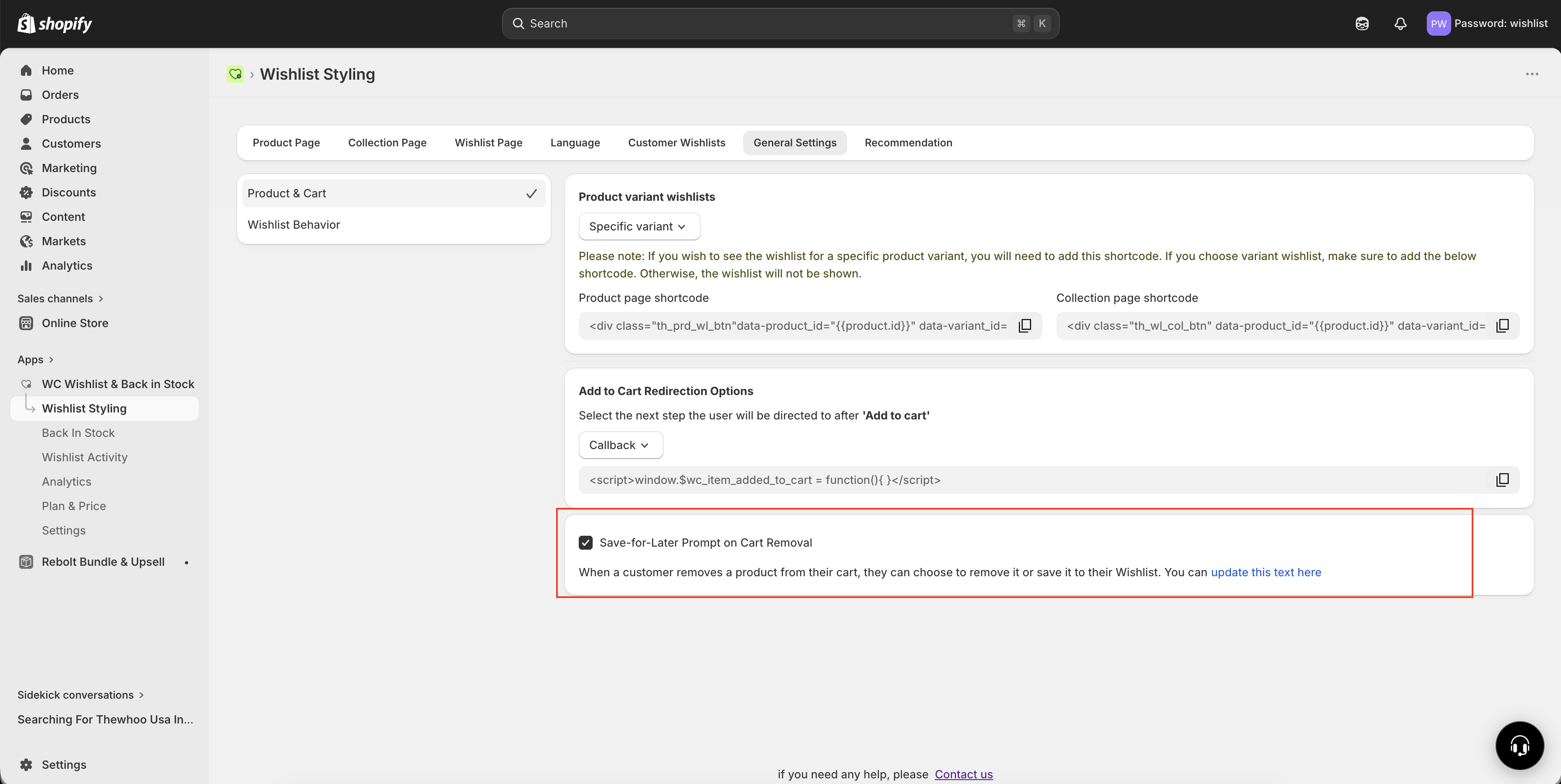
Go to Apps and open WC Wishlist & Back in Stock.
In the app, open Wishlist Styling.
Find the General Settings section under wishlist settings.
Under Wishlist Behaviour, enable the Save for Later toggle.
Visit your storefront cart, try removing a product, and confirm that the save-to-wishlist prompt appears.
What happens after you enable it
Once turned on, the feature works automatically on the cart page. Customers will be prompted when they remove eligible products from the cart.
You do not need to manually move products for them. The app handles the transfer from cart to wishlist when the customer accepts the prompt.
If the prompt does not appear on your storefront, review your wishlist setup and cart experience to make sure the app is active and your theme supports the feature correctly.
How Save for Later works with wishlist reminders
Save for Later becomes even more valuable when used with wishlist reminder emails.
If a customer saves an item from the cart and leaves without purchasing, the app can remind them later that the product is still waiting in their wishlist. This creates a simple recovery path:
remove from cart → save to wishlist → reminder email → return to store → purchaseThis makes Save for Later more than just a convenience feature. It becomes part of your cart recovery and remarketing strategy.
For best results, pair Save for Later with wishlist reminder emails so customers are prompted to come back after they leave your store.
Best practices
Enable wishlist reminders: this gives saved items a second chance to convert
Test on mobile and desktop: make sure the cart prompt feels clear and easy to use on all devices
Keep your wishlist visible: customers should be able to quickly find their saved items later
Use Save for Later on stores with longer buying cycles: it is especially useful for fashion, furniture, gifts, and higher-consideration products
Frequently asked questions
Yes. If the customer chooses to save the item, it is removed from the cart and added to their wishlist instead.
Yes. The customer can open their wishlist at any time and add the saved product back to the cart.
It can. Save for Later keeps products attached to customer intent instead of letting them disappear completely, which gives you more chances to recover the purchase.
No. Save for Later works on its own. However, reminder emails make it much more effective by bringing customers back to the products they saved.
Need help?
If you are not sure which file to edit, or you would rather have us handle the installation, contact our support team:
Email: [email protected]
Live chat: available from the app admin
Free onboarding 1:1 call