
Email verification for Back in Stock — how it works and why it exists
Overview
When a customer signs up for a Back in Stock alert, they must confirm their email address before the alert becomes active. This extra step is intentional. It helps make sure alerts are sent only to real, working email addresses and that the person who entered the email actually wants to receive the notification.
This page explains what customers see, what happens if they do not confirm, and why email verification is important for both you and your customers.
Email verification is part of the normal Back in Stock signup flow. A customer is only added to your active alert list after they click the verification link in the email they receive.
How the verification flow works
Here is the full experience from the customer’s point of view:
On an out-of-stock product page, the customer opens the Back in Stock form by clicking Notify Me.
They type their email address into the form and submit it.
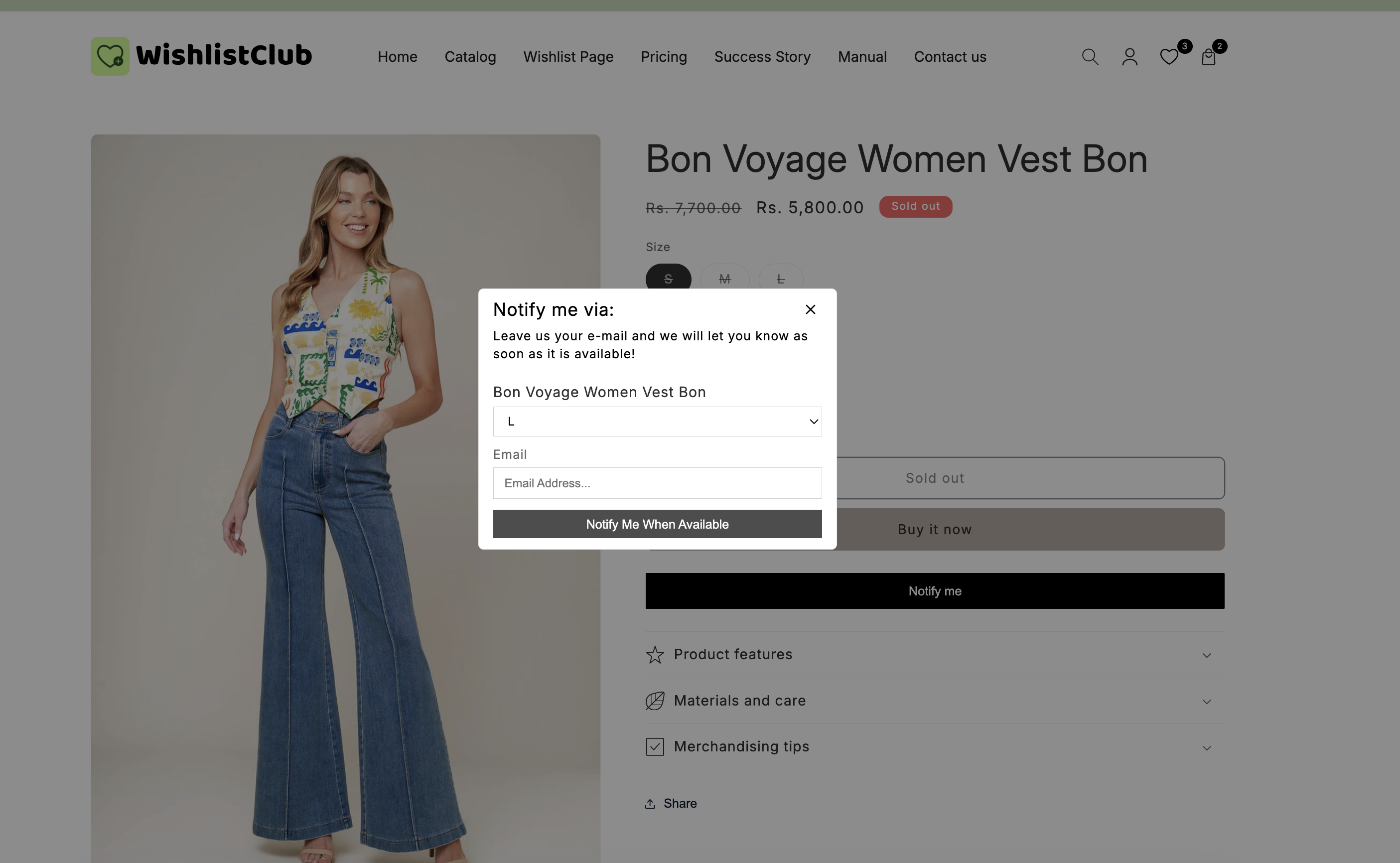
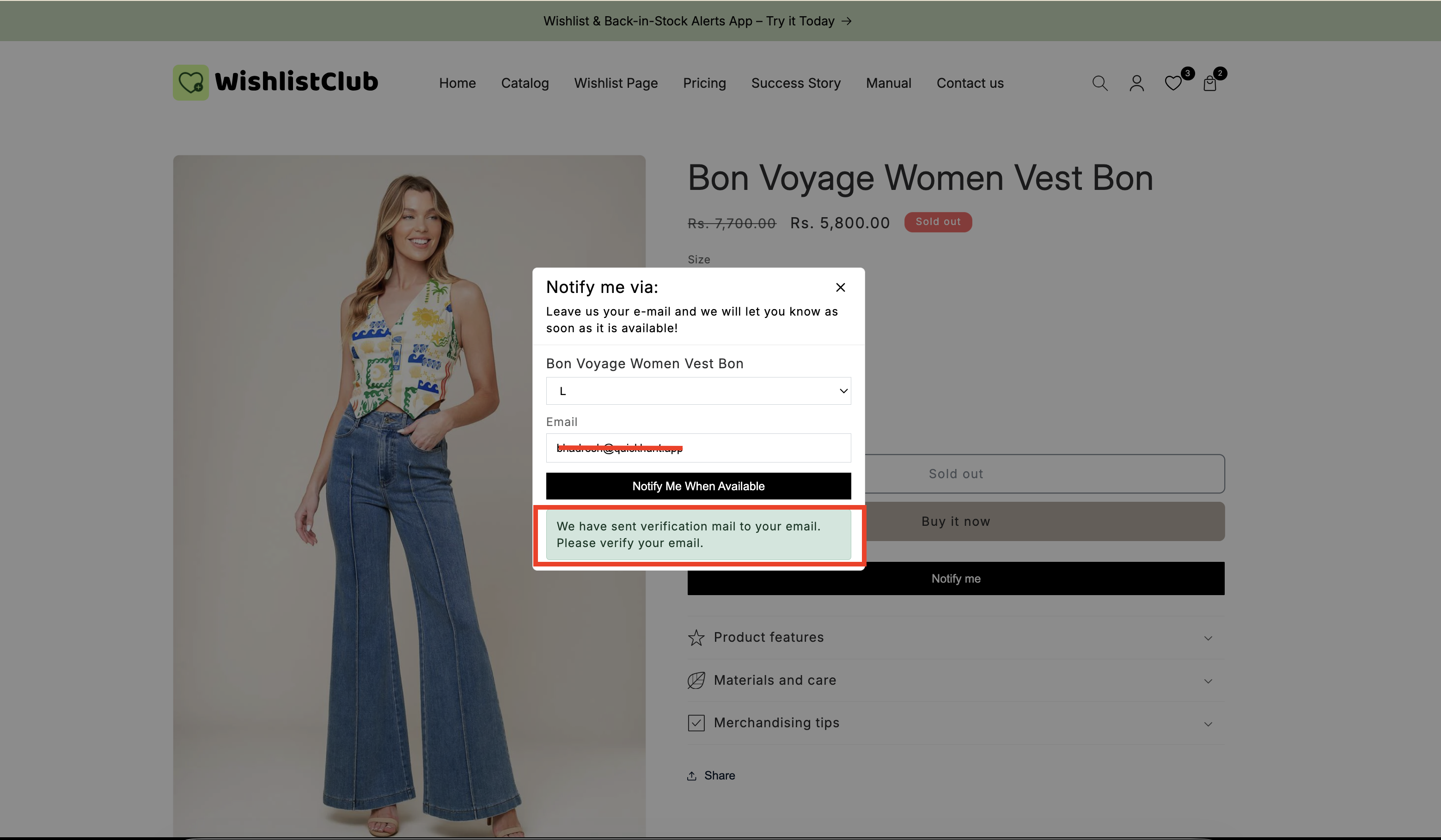
After submitting the form, the popup shows your email verification message, such as: “We’ve sent you a verification email — please click the link to confirm.”
The customer receives an email with a confirmation link. This link is used to verify that the email address is valid and that the customer wants the alert.
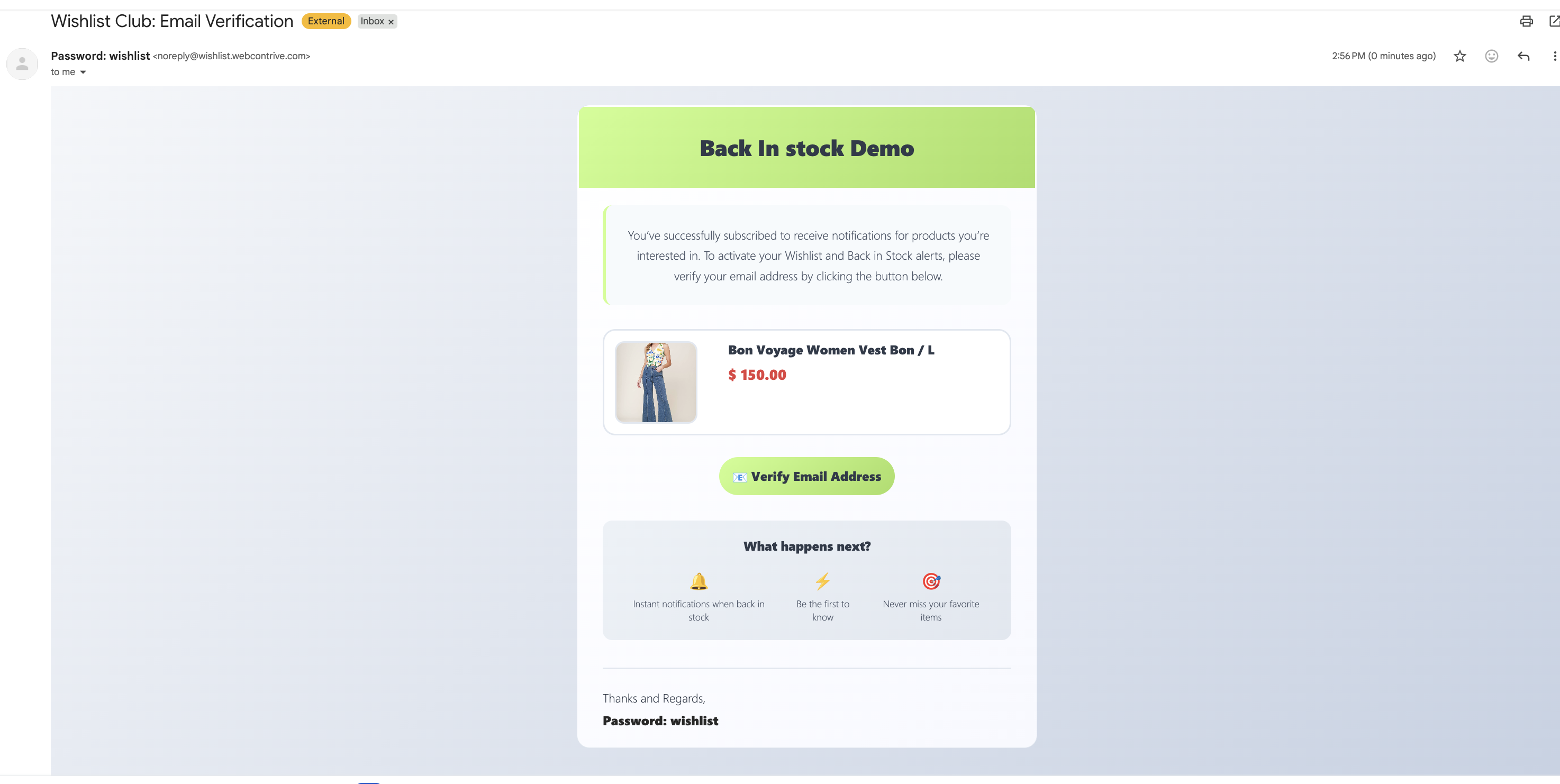
Once they click the link, their Back in Stock subscription becomes active.
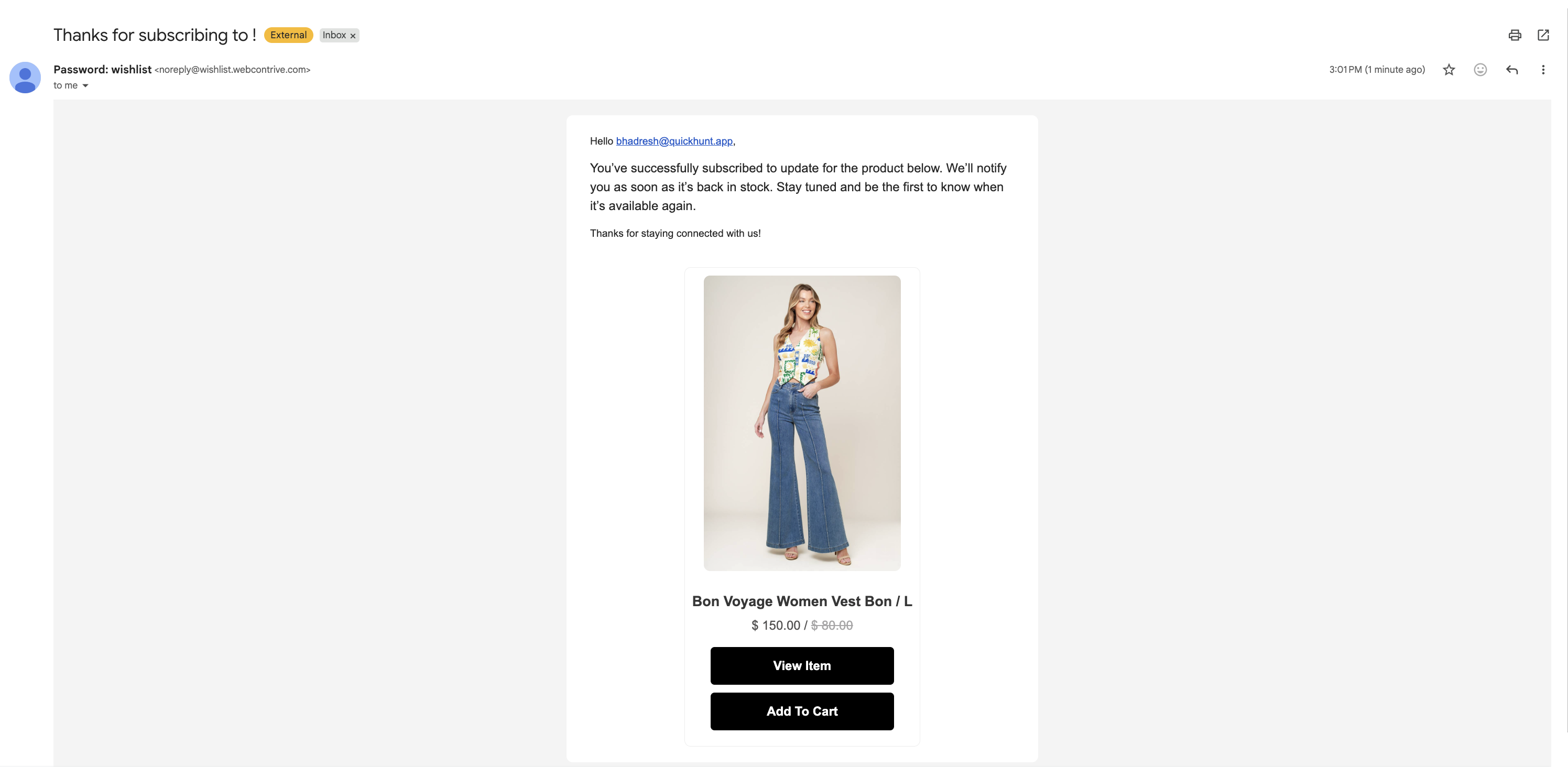
After verification, the customer receives a follow-up email confirming that they are now subscribed and will be notified when the item is back in stock.
What happens if the customer does not verify
If a customer submits the form but never clicks the verification link, their signup is not completed.
The subscription stays inactive.
The customer will not receive a restock alert for that product.
The email address is not treated as an active subscriber.
If a customer says they signed up but never got a Back in Stock alert, the most common reason is that they did not complete email verification.
This behavior is intentional. It helps prevent accidental signups, fake submissions, and email addresses with typos from using up your notifications.
Why email verification exists
Benefits for you
Cleaner subscriber lists: Only confirmed email addresses become active subscribers.
Fewer invalid emails: Verification helps catch typos and undeliverable addresses before alerts are sent.
Better use of your notification quota: You avoid spending alerts on bad or fake email addresses.
Stronger sender reputation: Sending fewer emails to invalid addresses helps protect email deliverability over time.
Higher-quality intent: Verified signups are more likely to come from customers who genuinely want the alert.
Benefits for your customers
Prevents misuse: Someone else cannot easily subscribe another person without access to that inbox.
Improves delivery: A verified address is much more likely to receive the restock notification successfully.
Builds trust: Customers know they are in control of whether a subscription becomes active.
Reduces confusion: The customer gets clear confirmation once the signup is complete.
How to help customers who did not receive the verification email
If a customer contacts you and says they signed up but did not get any notification, guide them through these checks first:
Ask the customer to look in their spam, junk, promotions, or other filtered inbox folders for the verification email.
They should search their inbox for the product name, your store name, or phrases like verify, confirm, or Back in Stock.
A small typo in the email address will prevent verification from being completed.
If they cannot find the message, ask them to return to the product page and submit the Notify Me form again using the correct email address.
Remind them that the restock alert only becomes active after they confirm their email.
If customers often miss the verification email, review the wording of your on-screen verification message so it clearly tells them to check their inbox and click the confirmation link before the alert is activated.
Common customer questions
In most cases, the customer did not click the verification link after submitting the form. Until that step is completed, the alert is not active.
No. Submitting the form starts the process, but the customer must still confirm their email address before the subscription is activated.
No. Verification is required before the customer can receive Back in Stock notifications.
It helps prevent spam, fake signups, mistyped email addresses, and unauthorized subscriptions. It also improves deliverability and keeps your subscriber list more accurate.
Best practices
Use clear wording in your Back in Stock popup so customers know they must verify their email.
Keep your verification and thank-you messages simple and direct.
When answering support requests, always confirm whether the customer clicked the verification link.
Encourage customers to resubmit the form if they are unsure whether verification was completed.
Email verification may add one extra step, but it greatly improves list quality, notification accuracy, and customer trust. In practice, it helps ensure that your Back in Stock alerts reach real customers who want them.
Need more help?
If you need help getting the wishlist button to appear correctly, contact our team:
Email: [email protected]
Live chat: available from the app admin
Onboarding: book a free 1:1 onboarding call